
Comic Book Studio
EVL AppsComics
3.938.00 Reviews
- Version
- 1.8.24
- Installs
- 10.00K
- Age Rating
- Everyone
Screenshots
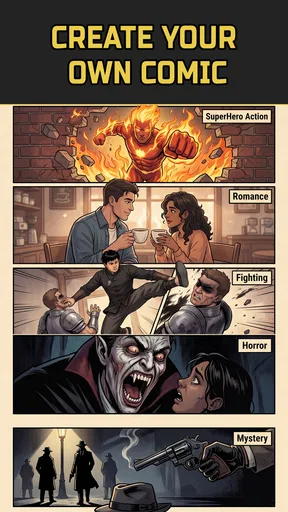
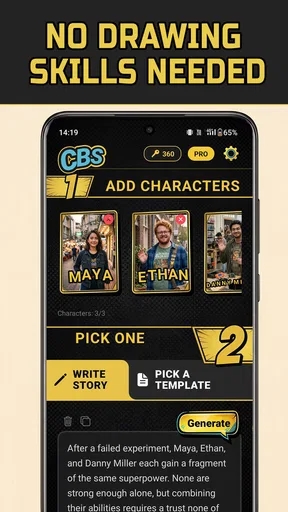
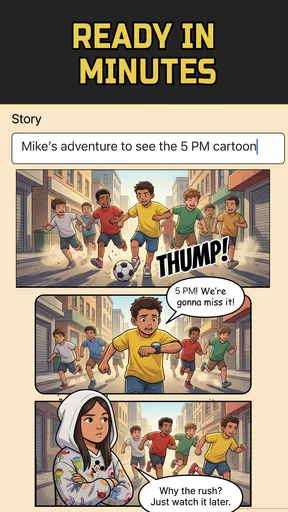
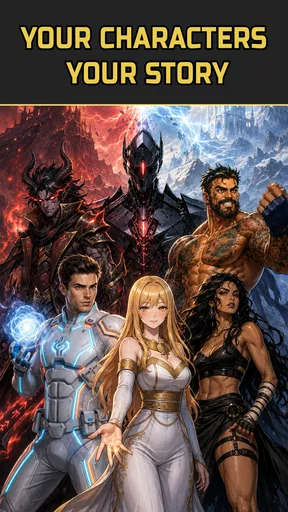
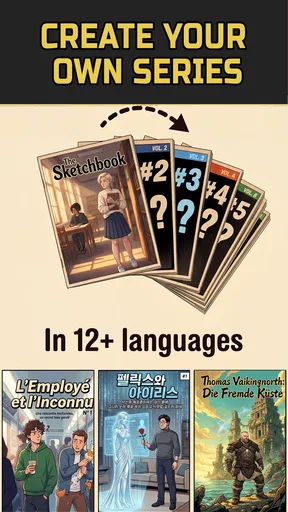
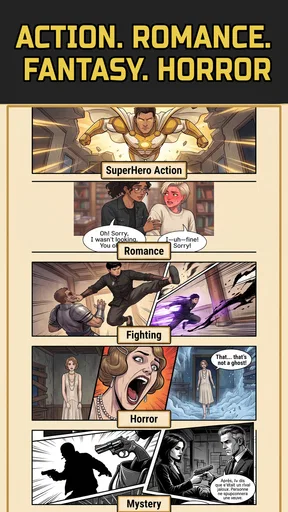
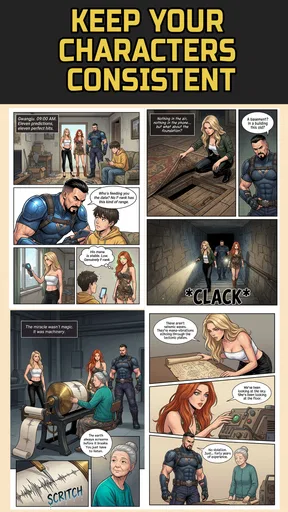
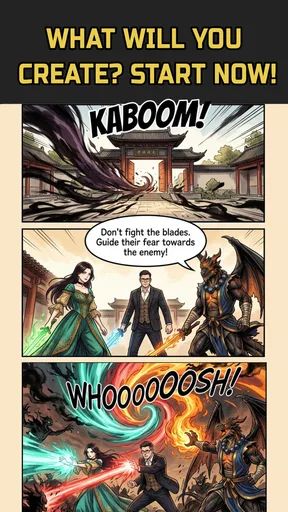
Our Review of Comic Book Studio
 Analysis by Appyee
Comic Book Studio is the kind of Android app I would open when I have a story idea but no drawing skills, no desktop setup, and no patience for learning a full illustration program first. Developed by EVL Apps, it sits in the comics category and uses AI to help turn a concept into manga, manhwa, or webtoon-style material. My overall impression is that it works best as a quick visual idea workshop rather than a complete replacement for a professional comic-production suite.
That distinction matters. The app feels aimed at people who want to experiment, make a short visual story, prepare a joke for social media, or explore a character concept. It is less convincing for someone who needs exact character continuity, detailed lettering control, or a carefully managed page layout from beginning to end. The strongest reason to try it is speed: it lowers the distance between an idea and a first comic draft.
How the comic-making experience feels in everyday use
I find the everyday experience most rewarding when I treat the app as a place to test one visual idea at a time, rather than asking it to solve an entire comic. That keeps the choices manageable and makes it easier to spot whether a scene communicates clearly. From there, the key question is how to turn those small experiments into a practical workflow.
Readability and navigation come before artistic ambition
When I use a creative app, I first want to understand where to begin. Comic Book Studio presents itself as a focused tool instead of a broad drawing package, which helps keep the purpose clear. You are not entering a general-purpose image editor and then searching through unrelated menus. The central appeal is making comic material, so the experience is easier to approach if your goal is already specific.
That focus can be helpful for younger users, casual creators, and anyone who finds professional creative software intimidating. The Everyone content rating also makes the app feel suitable for a broad audience, although parents should still guide children through any AI-based creative process and any optional purchases. The interface is most comfortable for someone who can read short instructions, compare visual results, and make decisions about which version fits a scene.
I would not describe the app as a substitute for a comic-production course. It does not remove the need to think about pacing, dialogue, panel order, or whether a character actually looks consistent from one moment to the next. What it does is give those decisions something visual to work with. That is a useful difference: instead of staring at a blank page, I can react to a draft and improve the story from there.
For readability, the most important practical habit is to keep prompts and story instructions simple at the beginning. I get more useful results when I separate the subject, mood, setting, and action rather than putting every detail into one crowded request. A short description such as a character, a location, and one clear action is easier to evaluate than a paragraph full of conflicting visual directions.
This also makes the app more approachable for people who process information better in small steps. I can decide on the scene first, then the atmosphere, then the dialogue or caption. That staged workflow is less tiring than trying to invent an entire chapter in one sitting. It is one of the app’s more practical strengths, even though it depends on the user creating their own structure.
Useful for rough storyboards, not just finished-looking images
The obvious use is generating a comic-style result, but I found the tool more valuable when I treated each output as a storyboard aid. A rough visual can reveal that a scene is too complicated, that the action is hard to understand, or that the mood does not match the dialogue. In that role, the app helps with decisions before a creator commits time to polished artwork.
For example, I could plan a short webtoon episode by describing the opening situation, the interruption, and the final reaction as separate moments. Even if the images are not consistent enough for publication, they can show whether the sequence has a clear beginning, middle, and end. That is a more realistic expectation than assuming an AI comic generator will automatically produce a finished professional chapter.
A second useful workflow is creating visual references for a human illustrator. I can use an early result to discuss clothing, lighting, setting, or general tone. The output becomes a conversation starter rather than the final asset. This is especially helpful when a writer knows what a scene should feel like but struggles to explain it with words alone.
There is also a simple social use case. Someone planning a birthday message, a humorous mini-story, or a short announcement can explore a comic presentation instead of relying on a plain image and text. The app’s free entry point makes that experimentation less risky, though optional in-app purchases ranging from nineteen cents to just under eighty dollars per item mean I would check the purchase flow carefully before treating it as a casual toy.
Where different abilities and working styles fit
People with limited drawing experience may find the app more approachable than a blank canvas. The AI-centered workflow can reduce the fine-motor demand involved in sketching every figure, background, and pose manually. That does not make the whole process effortless, because the user still needs to type, choose ideas, review results, and possibly revise prompts, but it changes the kind of effort required.
For a user who has difficulty with precise hand movements, generating an initial image may be easier than drawing with a finger on a small phone screen. The trade-off is control. Manual drawing gives direct ownership over every line, while AI generation asks the user to communicate intent and accept some unpredictability. Someone who needs exact placement may therefore prefer a conventional drawing app with layers and a stylus.
Users with visual processing differences may appreciate working from a clear scene description and reviewing one concept at a time. On the other hand, highly detailed generated images can become visually busy, especially when several characters, props, and actions appear together. I would keep scenes uncluttered, use strong contrasts in the written concept, and break complicated events into separate panels or moments whenever possible.
For people who are sensitive to rapid visual changes or creative overload, a slower routine helps. I would write the story outline away from the app, then use Comic Book Studio only for selected scenes. That prevents endless generation from becoming the task itself. It also makes it easier to notice whether the images are serving the story rather than simply looking interesting.
The app may suit users who communicate more comfortably through visual examples than long written explanations. A generated panel can help express an atmosphere, relationship, or setting quickly. Still, it should not be treated as a guaranteed way to represent a person, culture, disability, or identity accurately. The more personal or sensitive the subject, the more carefully I would review the result and revise the concept.
Access in different situations
Comic Book Studio makes the most sense in short creative sessions. I can imagine using it during a commute, between classes, or while waiting for an appointment to test a scene idea. A phone-based workflow is convenient because it does not require carrying a sketchbook, drawing tablet, or laptop. That portability is valuable for spontaneous ideas.
At the same time, a phone is not automatically the best environment for sustained comic production. A small display gives less room for comparing panels, checking text, and judging visual continuity. Someone working for a long period may be more comfortable on a larger screen, if the device and app setup support that use. For quick planning, the phone format is an advantage; for detailed editing, it can become tiring.
The app’s minimum operating-system requirement is Android 7.0, which keeps it relevant to a range of older Android devices. I would still judge the experience by the individual phone, available storage, screen size, and general performance rather than assuming every compatible device will feel identical. Creative apps can become frustrating when a device is already crowded with other tasks.
Because the app is free to install, it is easy to test without committing money at the start. That is useful for families, students, and curious beginners who want to discover whether an AI comic workflow suits them. The presence of optional purchases changes the advice slightly: I would explore the basic experience first, then decide whether paid options genuinely improve my process instead of buying out of curiosity.
Its current version is 1.6.5, and the app has passed ten thousand installs. Those details suggest a modest-sized product rather than a dominant mainstream platform. I see that as a reason to approach it as a focused experiment: it may be appealing precisely because it is simpler than a huge creative ecosystem, but it may not offer the depth or community resources found in long-established alternatives.
The barriers I would want to know about first
The largest barrier is the gap between generating an appealing panel and producing a coherent comic. AI can help with atmosphere, but a comic also depends on continuity. The same hero needs to remain recognizable, the setting needs to make sense, and the reader must understand who is speaking and what changed between panels. I would not rely on one generated result without checking those points carefully.
Text is another area where I would stay cautious. Even when an image looks convincing, lettering, captions, and speech bubbles may require additional attention. If your project depends on exact dialogue or clean publication-ready typography, a dedicated layout tool may be the better second step. Comic Book Studio can help establish the visual direction, but it should not be the only tool in a precision-focused workflow.
Prompting itself can also be a barrier. A person who expects a single sentence to produce a complete, polished story may feel disappointed. Useful results usually require iteration: simplify the scene, clarify the action, remove competing details, and try again. That process is creative, but it can also be tiring for users with limited time, limited data access, or low tolerance for trial and error.
There is a financial consideration as well. Free installation is welcoming, but the broad range of optional item prices means I would set a personal spending limit before exploring paid content. This is particularly important when a child is using the app or when repeated experimentation becomes habit-forming. The free starting point is a benefit, not a promise that every possible workflow will remain cost-free.
Compared with a traditional drawing app, this one asks for less manual drawing but offers less direct control. Compared with a template-based comic maker, it may provide more room for unusual concepts but less predictability. Compared with writing a comic entirely by hand, it can produce a visual starting point much faster, while demanding more careful checking for consistency and unintended details.
Who should try it, and who should choose another tool
I would recommend it to a beginner who wants to see a story idea take visual shape, a writer preparing a storyboard, a teacher looking for a playful way to discuss sequential storytelling, or a casual creator making a short manga-inspired joke. It is also a reasonable option for someone who cannot or does not want to draw every component manually.
I would be more hesitant to recommend it as the main tool for a professional comic artist, a publisher, or anyone building a long-running series with strict visual continuity. Those users usually need dependable character references, fine editing control, careful typography, and a repeatable production pipeline. A desktop illustration and layout combination would likely be a better fit, even if it takes longer to learn.
It may also be the wrong choice for someone who dislikes AI-generated variation. If the pleasure comes from controlling each line, brush, and panel position, a manual drawing app will feel more satisfying. Comic Book Studio is built around suggestion and iteration, so its convenience comes with a loss of exactness.
My practical advice is to begin with a three-part test. Create one simple character scene, one action scene, and one quiet conversation. Then check whether the results are readable, whether the characters remain usable across the ideas, and whether the amount of revision feels acceptable. This test tells you more than a single impressive image because it measures the app against the basic demands of sequential storytelling.
A balanced verdict on inclusive creative access
Comic Book Studio makes comic creation more approachable for people who are blocked by drawing skill, limited equipment, or the intimidation of professional software. Its AI approach can reduce fine-motor demands and make visual brainstorming possible on a phone. The free installation and Everyone rating also make it easy for a wide range of curious users to try.
Its inclusive value has limits, though. It does not remove the need for reading, typing, visual judgment, patience, and repeated experimentation. Users who need exact control, highly predictable output, or polished lettering may encounter more friction than they would in a conventional art and layout workflow. The app is most accessible when the goal is exploration rather than perfection.
For me, the best way to use it is as the first stage of a larger process: outline the story, generate a few visual directions, select the clearest idea, and refine the final comic elsewhere if precision matters. That approach respects both its strength and its weakness. Comic Book Studio is worth trying when you want a fast, low-pressure route from imagination to storyboard, but I would not mistake that shortcut for a complete comic studio.
EVL Apps has made a focused free app for experimenting with manga, manhwa, and webtoon-inspired storytelling. Its average rating is 3.9 from around one hundred sixty ratings, which fits my measured impression: appealing for the right beginner and useful in short creative bursts, but not a universal replacement for established drawing tools. If your priority is accessible idea generation, it deserves a look; if your priority is total artistic control, I would start elsewhere.
Privacy and Permissions
See what permissions an app requests and how it handles your data.
- Photos/Media/Files
- read the contents of your USB storage, modify or delete the contents of your USB storage
- Storage
- read the contents of your USB storage, modify or delete the contents of your USB storage
- Camera
- take pictures and videos
- Wi-Fi connection information
- view Wi-Fi connections
- Other
- view network connections, full network access, run at startup, draw over other apps, control vibration, prevent device from sleeping, Google Play license check
Verdict
Strengths of Comic Book Studio
- Simple tools make creating custom comic pages quick for beginners.
- Supports visual storytelling without requiring advanced drawing skills.
- Useful for planning scenes, characters, and dialogue in one project.
- Templates can help users start a comic faster.
- Good option for experimenting with different comic layouts.
Limitations of Comic Book Studio
- Advanced artists may find the editing and drawing tools too limited.
- Large projects can become difficult to organize across many pages.
- Some assets or features may require in-app purchases.
- Creating detailed artwork can be time-consuming on a phone screen.
- Export options may not meet the needs of professional publishing.
Similar Picks in This Category
View All
WEBTOON: Manga, Comics, Manhwa
NAVER WEBTOON4.6

MangaToon: Comic & Manga
MangaToon4.3

네이버 웹툰 - Naver Webtoon
NAVER WEBTOON4.3

Tapas – Comics and Novels
Tapas Entertainment Inc.4.2

Lezhin Comics - Daily Releases
LEZHIN ENTERTAINMENT3.3

WebComics - Webtoon & Manga
WEBCOMICS HOLDINGS HK LIMITED4.4
Frequently Asked Questions
What is Comic Book Studio, and what can I create with it?
Comic Book Studio is a creative app designed for making original comics, illustrated stories, and visual scenes. After exploring its tools, users can generally combine characters, backgrounds, speech bubbles, panels, text, and other graphic elements to build a complete page or short comic. It is suitable for beginners, students, hobbyists, and creators who want to experiment without needing advanced drawing software.
Is Comic Book Studio suitable for beginners without drawing experience?
Yes, Comic Book Studio is intended to make comic creation accessible even if you are not an experienced artist. Its structured workspace and ready-to-use visual elements can help you arrange scenes, add dialogue, and organize panels more easily than starting from a blank canvas. However, the time required to learn the interface may vary, especially if you want precise layouts or more polished, professional-looking results.
Does Comic Book Studio include characters, backgrounds, and other built-in assets?
Comic Book Studio may provide a selection of pre-made creative assets, such as characters, settings, objects, comic panels, speech balloons, and text effects. These resources can speed up the design process and help users produce a story quickly. Before downloading, check the current app description and licensing information, because the available asset library, customization options, and premium content can differ between versions or platforms.
Can I save, export, or share comics created in Comic Book Studio?
The app is designed around creating finished comic pages that can be saved for later editing and potentially exported or shared. Depending on the version, export options may include image files or direct sharing through other applications. Users should review the available formats, image quality, watermark policy, and whether certain export features require payment, since these details can affect printing, publishing, or sharing comics online.
Is Comic Book Studio free to download, and are there in-app purchases?
Comic Book Studio may be available as a free download, but some features, asset collections, templates, or export options could be restricted behind in-app purchases or a premium version. The exact pricing and limitations can change with updates and may differ between Android and iOS. It is worth checking the store listing carefully before installing, particularly if the app will be used by children or for regular creative work.
